Implement our first service
In this section we will implement a simple gRPC service and consume each of the methods from a console app, to get familiar with it.
Implementing Basics Service.
In your starter repo, under Basics folder, right-click and add a new gRPC service name: Basics
we will use the existing proto file, but add a few more methods
Title
syntax = "proto3";

option csharp_namespace = "Basics";

package greet;

// The greeting service definition.
service Greeter {
  // Sends a greeting
   rpc SayHello (Request) returns (Response);

  rpc ServerStream (Request) returns (stream Response);
  rpc ClientStream (stream Request) returns (Response);
  rpc BiDirectional (stream Request) returns (stream Response);
}

// The request message containing the user's name.
message Request {
  string name = 1;
}

// The response message containing the greetings.
message Response {
  string message = 1;
}
Consuming Basics Service.
In your starter repo, under Basics folder, right-click and add a new console app named : Basics.Client
To point it to the proto we have two options:
Unary
Title
public override Task<Response> SayHello(Request request, ServerCallContext context)
        {   var contextv = context.GetHttpContext();
            var userAgent = context.RequestHeaders.GetValue("user-agent");
            context.ResponseTrailers.Add(new Metadata.Entry("Trailing", "i'm in front row acting like a header!"));
            #endregion


            return Task.FromResult(new Response
            {
                Message = $"Hello back with : {request.ContentValue} value from the {context.Host.ToString()} Server"
            }); ;
        }
Client-Streaming
Client streaming
    public override async Task<Response> ClientStream(IAsyncStreamReader<Request> requestStream, ServerCallContext context)
        {
            var baseMessage = "I got ";
            Response reply = new Response() { Message = baseMessage };

            while (await requestStream.MoveNext())
            {

                var payload = requestStream.Current;
                Console.WriteLine($"I got a request with: {payload}");
                reply.Message = baseMessage + payload.ContentValue.ToString();
            }
            return reply;
        }
Server-streaming
Server streaming
        public override async Task ServerStream(Request request, IServerStreamWriter<Response> responseStream, ServerCallContext context)
        {
            for (int i = 0; i < 10000; i++)
            {
                var message = new Response
                {
                    Message = "Hello " + i
                };


                await responseStream.WriteAsync(message);
            }
            #region responseHeaders
            Metadata.Entry myHeader = new Metadata.Entry("my-fake-header", "grpc-header");
            #endregion
            context.ResponseTrailers.Add(myHeader);
        }
Bi-directional
BiDirectional streaming
public override async Task BiDirectional(IAsyncStreamReader<Request> requestStream, IServerStreamWriter<Response> responseStream, ServerCallContext context)
{
  var baseMessage = "";

  Response reply = new Response() { Message = baseMessage };
  while (await requestStream.MoveNext())
  {
   var payload = requestStream.Current;

   reply.Message = baseMessage + payload.ContentValue.ToString();
   await responseStream.WriteAsync(reply);

   }
}
`
1. Edit the project file
right-click the csproj file and add an item group that points to the .proto file location, and is of type client
Title
 <ItemGroup>
    <Protobuf Include="..\Basics\Protos\greet.proto" GrpcServices="Client">
      <Link>Protos\greet.proto</Link>
    </Protobuf>
  </ItemGroup>
2. Add a service reference
- right click the project file, Add Service reference
- Select grpc
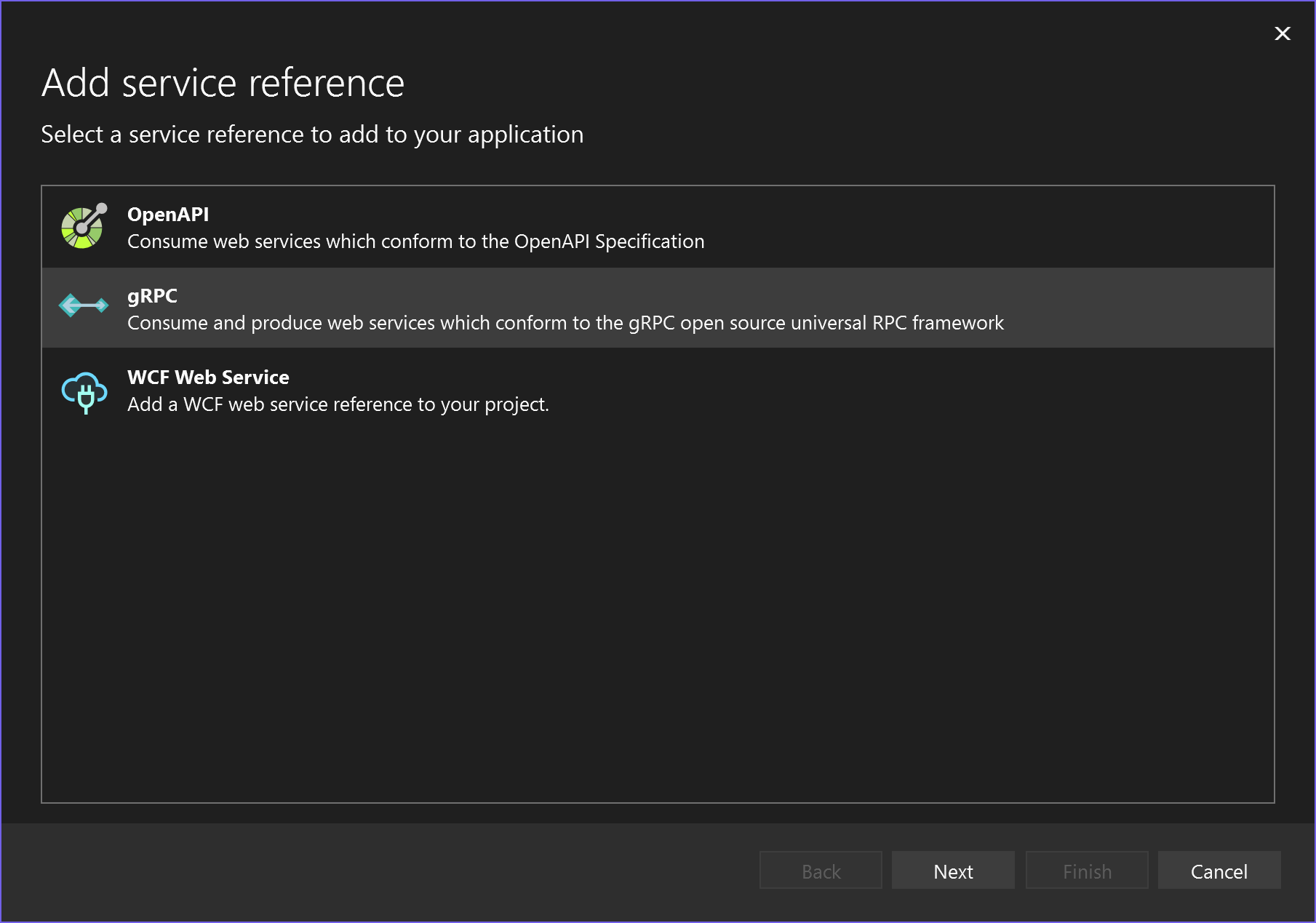
point it to the proto file we need
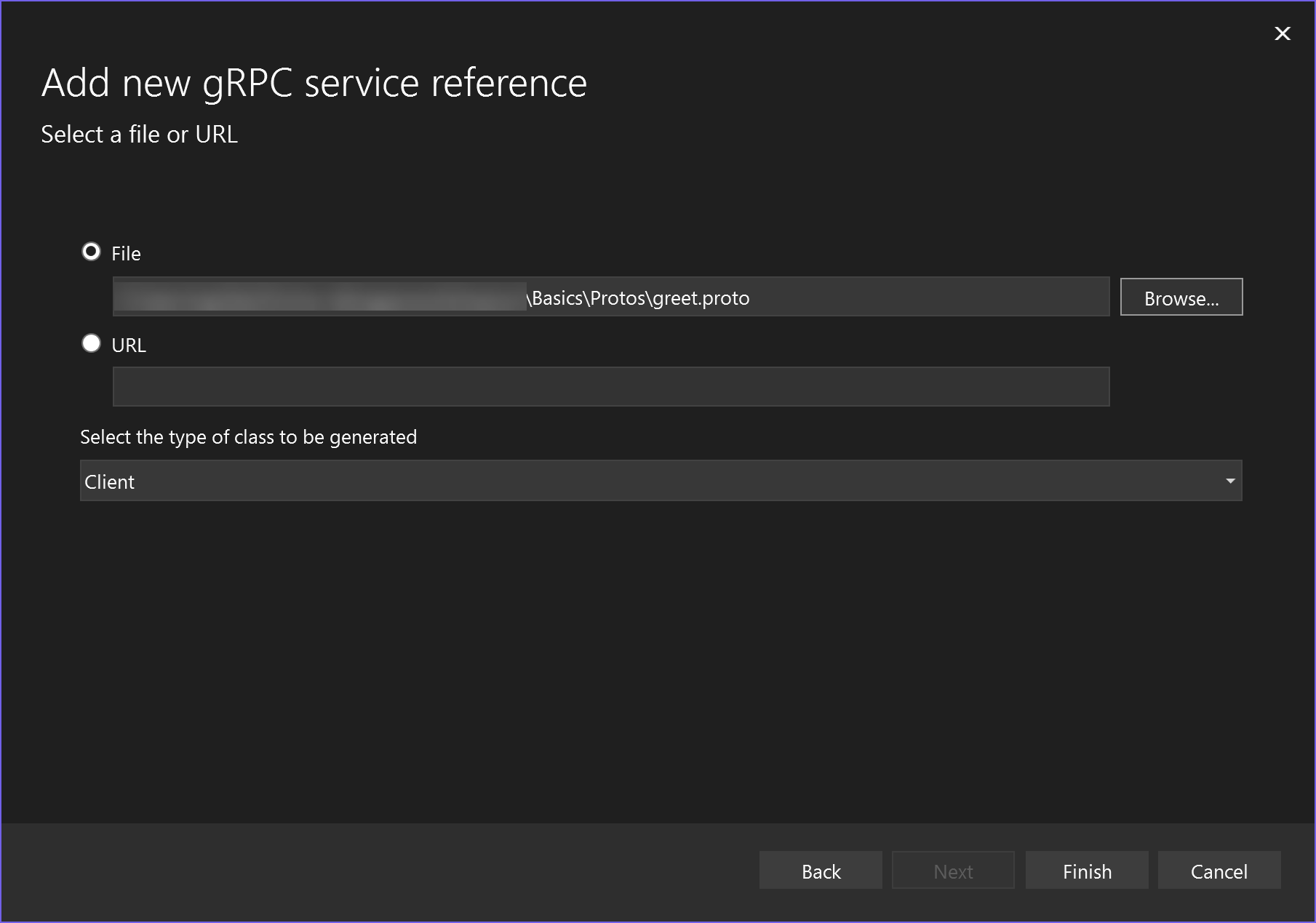
under the
Select the type of class to be generatedselect :ClientClick next
As a result you will see a small 'virtual' folder named protos in your project